
Port scanning: Why should you knock on every door?
You may think port scanning requires no more expertise than reading a water meter.
Port scanning is regularly the foundation of internet hygiene, so it definitely does.
Port scanning is checking whether you locked the doors
In cybersecurity reports, malicious actors are frequently mentioned. In reality, they are constantly knocking on doors across the internet.
Imagine a burglar selecting a block of flats – in digital terms, an IP address. They then proceed methodically, knocking on every door – each one a port. Many doors are locked. Some have nameplates. A few even list the occupant’s profession. Occasionally, you might discover when the dentist opened their practice or when the gynaecologist started working. And sometimes, someone has hidden a spare key under the doormat.
As the building’s caretaker, if you regularly check every door, or at least ensure each resident checks their own, you significantly improve the overall security of the building. You address risks before they become incidents. That is precisely what port scanning does – only faster, and for your digital property.
Shodan does what burglars do
Have you heard of Shodan? It is essentially a searchable index of internet-connected devices and exposed services. A well-equipped attacker does not even need to “knock”. They can simply query a database to see who left the garage door open and who handed a key to the cleaner.
When a public exploit becomes available for a service, hundreds of opportunistic attackers immediately search for exposed systems worldwide. They are not targeting you personally. They are searching for open doors. No need for panic. But precautions are sensible.
How to protect yourself with port scanning?
Port scanning provides visibility. It shows:
- which ports are open;
- which services are running;
- which versions are exposed;
- and with what security configuration.
Just as important: regularly reassess whether a service actually needs to be publicly accessible. Maintain a structured, regularly updated inventory. Include:
- IP address;
- open ports;
- purpose;
- responsible owner;
- timeframe during which exposure is justified.
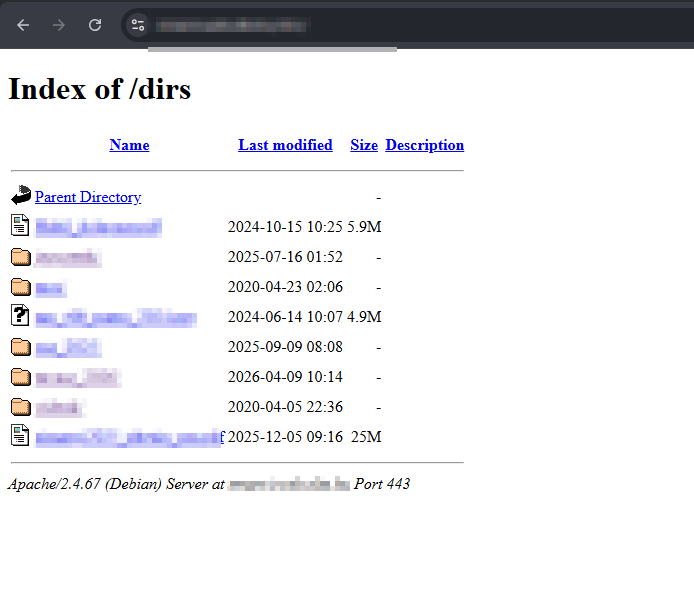
It may feel like another administrative task. But reconstructing why an FTP server with domain administrator privileges was exposed to the internet in 2019 after an incident is significantly more painful. (True story. Not ours.)
A firewall is not an invisibility cloak
You have a firewall. Excellent. But it is not a digital invisibility cloak. Let us clarify:
- Open ports may still exist behind a firewall.
- Weak configurations may still be in place.
- Default credentials may still be active.
- Documentation may be outdated.
Equally important: not every open port represents a risk. An HTTPS service running on port 8443 is not automatically a problem. It becomes one when an outdated administrative interface is publicly accessible without proper protection.
Port scanning is cheaper than rebuilding
Locking your door and purchasing insurance is cheaper than refurnishing your home after repeated burglaries. The same principle applies to digital infrastructure.
Security begins with awareness and ownership. If you would prefer not to conduct internal port scanning or need assistance interpreting the results, we are happy to help.
Please note: We conduct port scanning strictly under contract and exclusively on IP addresses belonging to your organisation.
Not your neighbour’s.
Not your competitor’s.
And certainly not your spouse’s secret apartment.
We are ethical hackers, after all.